
Last Updated on February 26, 2026 by Jennifer Gabieta
You can be fully locked in. Calendar packed, tabs open, coffee doing its job. But if your eyeglasses annoy you all day, it’s harder to stay focused than it should be. The right pair feels like it disappears. The wrong pair keeps tapping you on the shoulder.
The American Optometric Association (AOA) links long stretches of digital device use with symptoms like eye strain, headaches, blurred vision, and dry eyes. Research reviews also show computer vision syndrome symptoms are common, which tracks with how most of us work now.
That’s why your frames should match your routine, not add friction. If you’re dealing with slipping, discomfort by mid-day, or headaches after screens, it might be time for a refresh. Here are five signs it’s worth doing.
1) Your Glasses Keep Slipping
If you keep pushing your frames up, your attention keeps breaking. Slipping usually means the fit is off, the bridge isn’t right, or the frame shape doesn’t sit well on your face. It’s a small annoyance that turns into a daily distraction.
What to do: Get a fit check and look for frames that stay put when you look down or move around. The goal is stable, comfortable glasses that don’t need constant adjusting.
2) Screen Time Makes Your Eyes Feel Tired Fast

If your eyes feel strained after a few hours on a laptop, something’s off. It could be an outdated prescription, scratched lenses, glare, or lenses that don’t match your current routine. This often shows up as dryness, squinting, or slow refocusing. Even mild blur can slow you down.
Common “screen fatigue” clues to watch for:
- Dry, gritty, or burning eyes by midday
- Squinting or leaning toward the screen
- Blurry text that comes and goes
- Trouble refocusing when you look up from your device
- Headaches that hit after long screen sessions
What to do: Book an eye exam and confirm your prescription. If you’re on screens all day, ask about lens options for computer work, and adjust your lighting to cut glare.
3) Your Frames Get Uncomfortable by Afternoon
Frames can feel fine in the morning and still become irritating later. Pressure on your nose or temples, heaviness, or tight arms can lead to soreness and headaches. You might start taking your glasses off just to get relief, and that on-and-off breaks your rhythm.
What to do: Consider lighter materials and a better-balanced fit. Sometimes a small adjustment helps, but sometimes the frame itself is the issue.
4) Headphones + Glasses Don’t Work Together
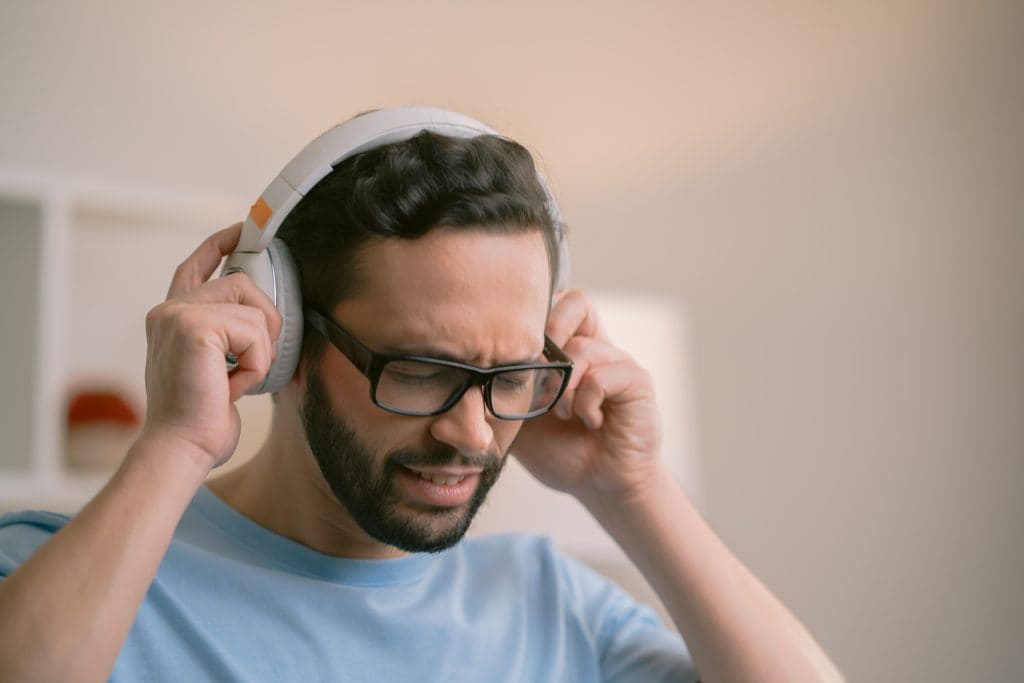
If you wear a headset for calls, your frames shouldn’t dig into your ears. Some temples press too hard under headphones or shift around when you put them on. That gets frustrating fast during meetings, and soreness behind the ears is a common clue.
What to do: Look for frames with comfortable temples that sit flatter and don’t pinch. If you can, try frames while wearing your usual headphones so you’re not guessing.
5) You’re Getting More Headaches Than You Should
Frequent headaches can be tied to prescription changes, poor fit, or lens distortion from scratches. Headaches can also happen when the lenses don’t line up well with your eyes because the frames sit too low or crooked. You might notice it after reading, driving, or long screen sessions.
What to do: Start with an updated eye exam, then talk through lens and fit options. Glasses should reduce effort, not create it.
Quick Fixes Vs. “Time for New Frames” Checklist
Use this as a fast way to figure out whether a simple adjustment might help, or whether you’ll get better results starting fresh.
| What You’re Noticing | Quick Fix to Try First | Sign It’s Time for New Frames |
|---|---|---|
| Frames slide down your nose | Tighten temple arms or adjust nose pads | Slipping comes back within days, or the bridge never feels stable |
| Pressure on nose or temples | Minor fit adjustment at an optician | You still feel sore after adjustments, or the frame feels heavy all day |
| Screen glare or visual fatigue | Adjust lighting, screen brightness, and monitor height | You still squint or strain even with better lighting and updated prescription |
| Headaches after reading/screens | Check for loose fit and confirm prescription | Headaches keep happening, or lenses are scratched/distorting vision |
| Headphones hurt with glasses | Try thinner temples or different headphone position | Frames pinch behind the ears no matter what, especially during long calls |
Takeaways
If a few of these signs sound familiar, you don’t need to push through another year of annoying frames. Clear, comfortable vision supports real productivity, especially with heavy screen time and busy days.
A good next step is to book an eye exam, then choose frames that solve your biggest issue first, slipping, discomfort, or headaches. If you’re ready to upgrade, Classic Specs has eyeglass frames that fit your day better so you can stay focused without constant adjustments.
Frequently Asked Questions About Eyeglass Frames and Productivity
1) Can the wrong frames really affect productivity?
Yes. If your frames slip, pinch, or blur your vision even slightly, you end up pausing to adjust, squint, or take breaks for discomfort. Those little interruptions add up during deep work.
2) How do I know if my headaches are from my glasses?
A common clue is timing. If headaches show up after reading, driving, or long screen sessions, or get better when you take your glasses off, your fit or prescription might be part of it. An eye exam can help rule out other causes.
3) Do scratched lenses cause eye strain?
They can. Scratches scatter light and create subtle distortion, which can make your eyes work harder to stay focused. If you’re noticing more glare or blur than before, it’s worth checking your lenses closely.
4) What frame features help most for all-day computer work?
Comfort and stability matter most: lightweight material, a fit that doesn’t slide, and temples that don’t pinch under headphones. Pair that with a lens option that fits your screen routine, then set up your workspace to reduce glare.
5) How often should I replace my frames?
There’s no one schedule. Replace them when fit problems keep coming back, comfort is gone by midday, or your frames don’t sit straight anymore. If your prescription changes, that’s also a good time to reevaluate whether your frames still suit your day-to-day.
References:
American Academy of Ophthalmology. (2024). Computers, Digital Devices, and Eye Strain.
American Academy of Ophthalmology. (2025). Digital Devices and Your Eyes.
American Optometric Association. (2025). Computer Vision Syndrome.
Mayo Clinic. (2024). Eyestrain: Diagnosis and Treatment.
Anbesu, E. W., & Lema, A. K. (2023). Prevalence of Computer Vision Syndrome: A Systematic Review and Meta-Analysis. Scientific Reports.
Ccami-Bernal, F., et al. (2023). Prevalence of Computer Vision Syndrome: A Systematic Review and Meta-Analysis. PLOS ONE (PubMed Central).